bwHPC does not currently support FIDO2/WebAuthn. For SSH logins, we continue to use time-based one-time passwords (TOTP) as a second factor. For NEMO2, we want to test FIDO2-secured SSH keys as an alternative to TOTP. You would then have to touch your FIDO2 security key every time you want to login to NEMO2 with your SSH key, for example [fido2s]. However, another factor is no longer required.
One of the easiest way to use TOTP as a second factor is to use an app on a smartphone as already described on the bwHPC Wiki [bw2fa]. However, if a smartphone is not an option, there are various alternatives, which we have explored below.
Most FIDO2 security keys have a metal contact surface that ensures the presence of the user by touch and only then allows access to the secrets (second factors).
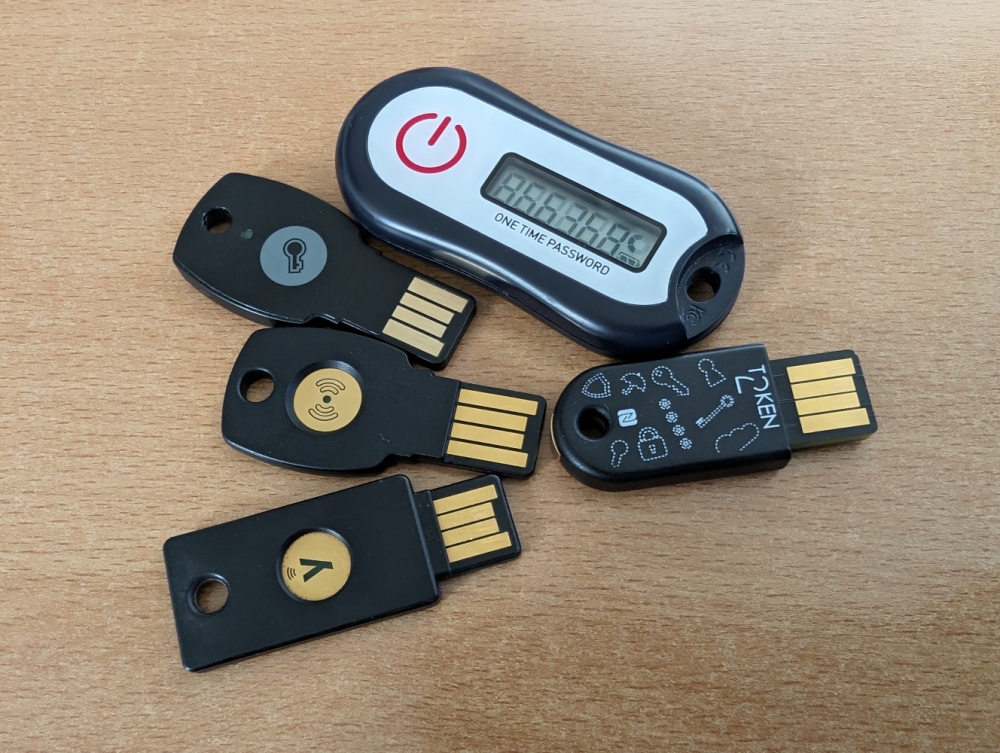
We have tested some hardware tokens that can be used for SSH logins. We selected these tokens based on the following three features: Price and the TOTP and FIDO2 features, as the first is currently used in bwIDM and the second is necessary for Passkeys and WebAuthn.
We tested pure TOTP and FIDO2 tokens, which were the cheapest, followed by security keys that enable TOTP and FIDO2, and finally two security tokens that support additional protocols.
| Product | Interface | Price | Manage TOTP | Manage FIDO2 |
|---|---|---|---|---|
| Feitian c200 i34 TOTP NFC | NFC (for programming) | 15€ | Windows [c200w], Android [c200a], iOS [c200i] | – |
| Feitian A4B Series | USB | 15€ | – | Chrome browser [fido2c] and Windows [fido2w] built-ins |
| Token2 T2F2 FIDO2/TOTP NFC | USB/NFC | 18€ | Android and iOS [t2f2t], Windows [t2f2a], Python [t2f2p] | Windows [t2f2mg] |
| Feitian K9Plus Series | USB/NFC(*) | ~30€ (depends on features) | Android [fk9a], iOS [fk9i], Windows [fk9w] | Windows and MacOS [fk9m], Linux(**) |
| YubiKey 5 Series | USB/NFC(*) | >50€ | Android, iOS, Linux, Mac and Windows [yubia] | Windows, Mac and Linux [yubim] |
(*) Available on selected devices (**) Not yet publicly available (as of 20.02.2023)
FIDO2 features such as setting a PIN for secure storage and managing FIDO2 records and other basic credential management features are standardized in [ctap2] and already implemented on all operating systems in the Chrome browser [fido2c] and Windows operating system [fido2w], so some of the security tokens rely on these implementations and do not provide them themselves. These tools work with any FIDO2 security key.
For one of the tokens, we have implemented software in Go that can be used to manage and display the TOTPs in Linux, Mac and Windows shells.
Hardware TOTP Token with Display and NFC
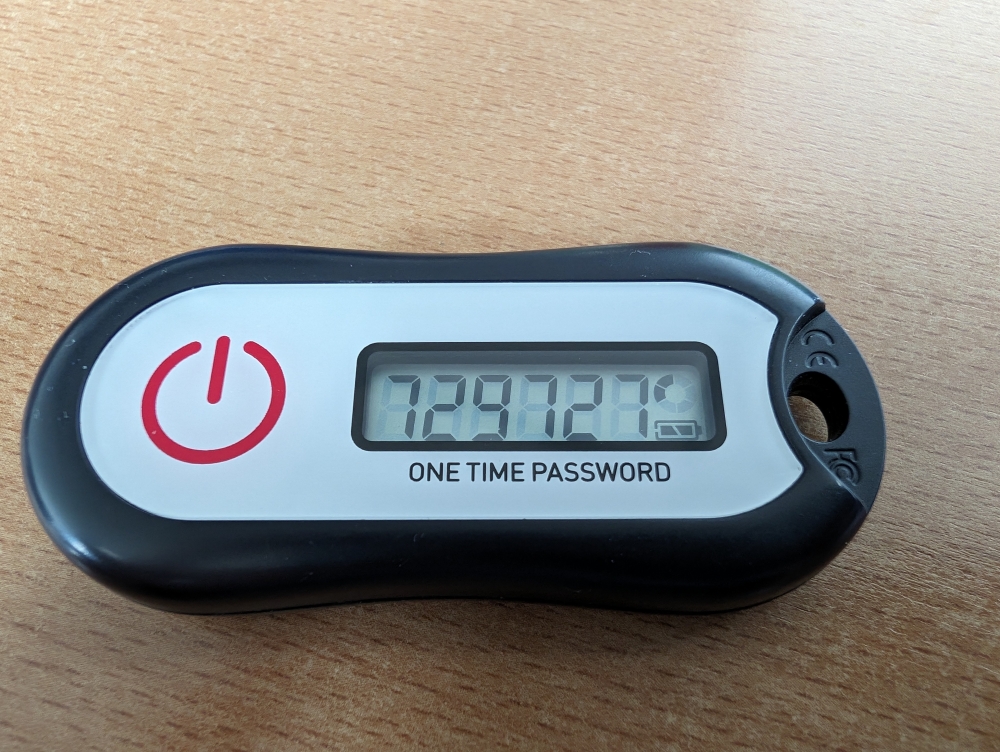
The Feitian c200 i34 TOTP NFC security token is available from approx. 15€ [c200]. It can be programmed with a mobile device or a computer via NFC. The software is available for Windows [c200w], Android [c200a] and iOS [c200i].
For Windows you need a card reader and writer [c200r]. We were able to program the TOTP seed onto the token using an AusweisApp-compatible card reader (tested under Linux with our own Go code). We did not test a third-party Windows tool [c200wm] that can be used as an alternative on Windows.
We also tested the Android app. But it was not reliable. It took us several attempts to program the token. We tried it with two phones and repeated the steps.
We would recommend using the software from Microcosm for Android [c200am]. With this tool, we were able to program the token instantly every time we used it. The “Microcosm OTP Burner (NFC)” mobile app is easy to use [c200am]. You scan the QR code for your new TOTP and then use your phone’s NFC function to program the hardware token.
If you need a TOTP, simply press the button on the token and the current TOTP will be displayed.
Inexpensive FIDO2-only Key
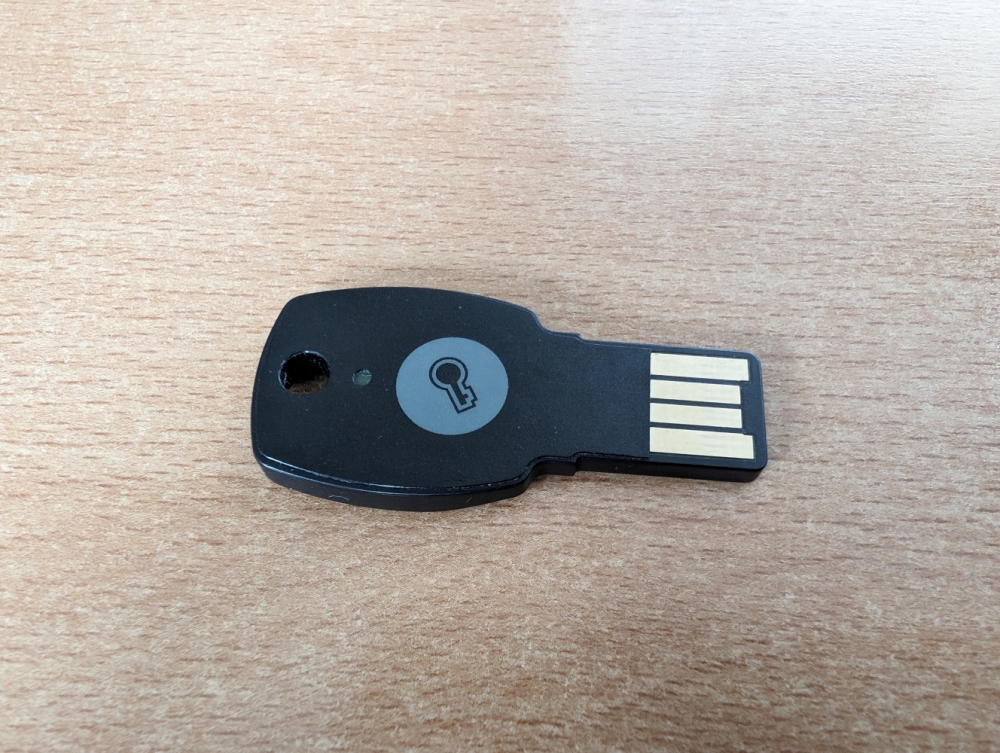
The Feitian A4B series is an inexpensive and simple FIDO2 security key. It can be used for passkeys, WebAuthn and FIDO2-secured SSH keys. It can be used to additionally secure GitHub and GitLab, as a passkey for Apple(*), Google, Microsoft(*) and GitHub and for FIDO2-secured SSH keys [fido2s]. This security key only supports ecdsa-sk SSH keys [fido2y].
The token does not come with its own software. To configure the key, you must use the built-in FIDO2 configurations in the Chrome browser [fido2c] or Windows [fido2w]. (*) Only tested with Google, other manufacturers may only support their own passkeys such as iPhones etc.
Affordable FIDO2 and TOTP Key with NFC
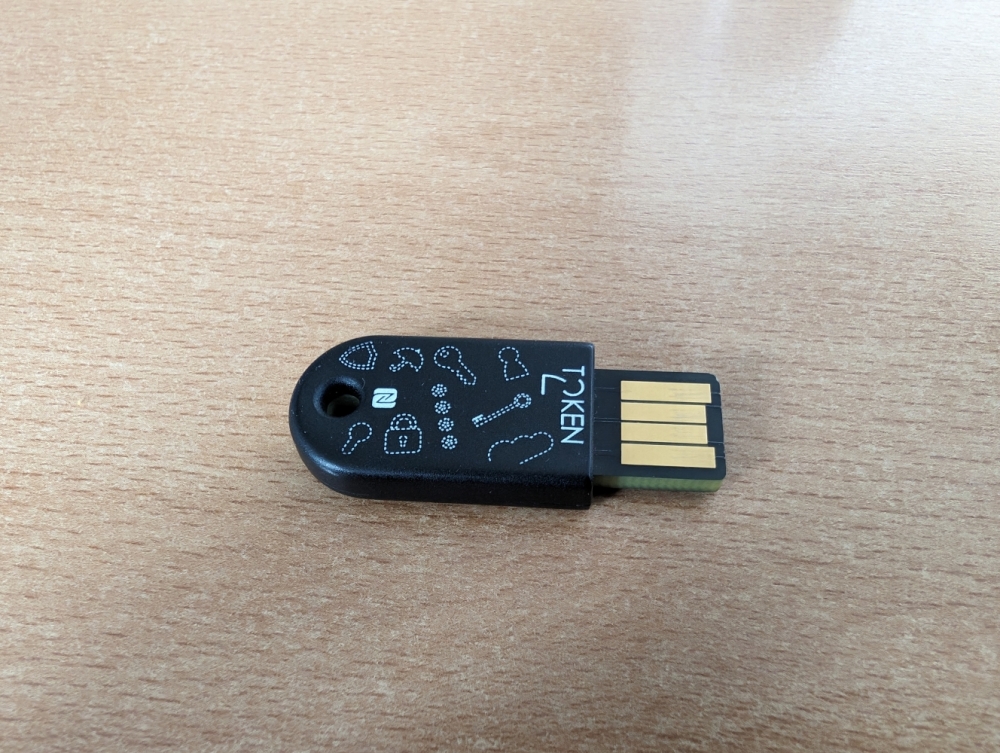
The Token2 T2F2-NFC-Slim FIDO2, U2F and TOTP security key would be the perfect candidate to secure SSH logins for NEMO2 and the bwHPC clusters [t2f2]. It supports 6-digit TOTP and already has FIDO2, making it future-proof. For Windows, there is the graphical tool “FIDO2.1 Security Key Management Tool” [t2f2mg] and the command line tool “FIDO2 Token Management Tool” [t2f2mc] for managing FIDO2 credentials and the “TOKEN2 T2F2 Companion app for Windows” [t2f2a] for TOTP management.
You can use the Android and iOS apps to view and manage TOTPs on your cell phone [t2f2t]. Unfortunately, the Android app was not very stable in our tests. The management of the TOTP did not work too often and also the display of the current TOTP code did not always work.
For Linux and Mac, you can use the Python tool “Token2 T2F2 OTP Cli tool” to configure and display TOTP codes in the console [t2f2p]. Under Linux, the installation requires some changes to the system and does not work immediately after unpacking. The Python program “TOTP Viewer” will display your TOTPs [t2f2v], but if it is required to touch the security key before your TOTP is displayed, the 6-digit code will not be displayed in the GUI. It will be displayed in the command line that you used to start the GUI.
If you use the Python code with bwIDM TOTP, you must first convert the hex seed displayed under the QR code on login.bwidm.de into a Base32 seed.
Example:
echo "Please paste your bwIDM seed:"; head -n 1 | xxd -r -p | base32
The code is licensed under the “Fair Source License (Version 0.9)” [fair]. Download and use of the Python code is only allowed to people who have purchased the hardware. We cannot simply make it available to everyone.
These difficulties mentioned above for Mac and Linux users have led us to develop our own application with Go. This tool allows you to manage and view your TOTP entries. The program accepts hex and Base32 seeds and works instantly on Linux, Mac and Windows without any system changes. To view a TOTP, all you have to do is start the program and confirm your presence by touching the security key.
We can provide it precompiled for most systems, otherwise everyone is free to compile the software themselves.
However, although the Go code was made without reference to the original code, we are reluctant to make the program or code publicly available due to the “Fair Source License” of the original. As a research institution, we only want to work with public sources, as we lack the legal knowledge and time in our department to deal with licensing issues.
This security key only supports ecdsa-sk SSH keys [fido2y]. If you want to use ed25519-sk SSH keys, you can try the “Token2 T2F2-PIN+ FIDO2, U2F and TOTP Security Key with PIN complexity feature” (according to the provider) [t2f2s].
FIDO2 Security Key with NFC and Support for different Protocols
The security keys in the Feitian K9/K9Plus series support NFC and many other protocols [fk9s] that can be customized depending on the manufacturer’s website [fk9]. For example, our security key was equipped with DESFire for locking systems.
Unfortunately, we had some problems with the Android app [fk9a]. Programming the TOTP seed could be cumbersome and displaying the TOTP on the phone didn’t always work. The Windows app, on the other hand, worked quite well [fk9w]. We did not test the iOS app [fk9i].
We received the software for Linux from the manufacturer, but it is not yet freely available (as of 20.02.2023). The configuration of the additional functions via the “FEITIAN SK Manager” is currently limited to Windows and MacOS [fk9m]. This app is similar to the “YubiKey Manager” (see next section) and has a similar functionality [yubim]. If the additional protocols are required, this security key can be considered as a slightly cheaper version of the YubiKey.
This security key only supports ecdsa-sk SSH keys [fido2y].
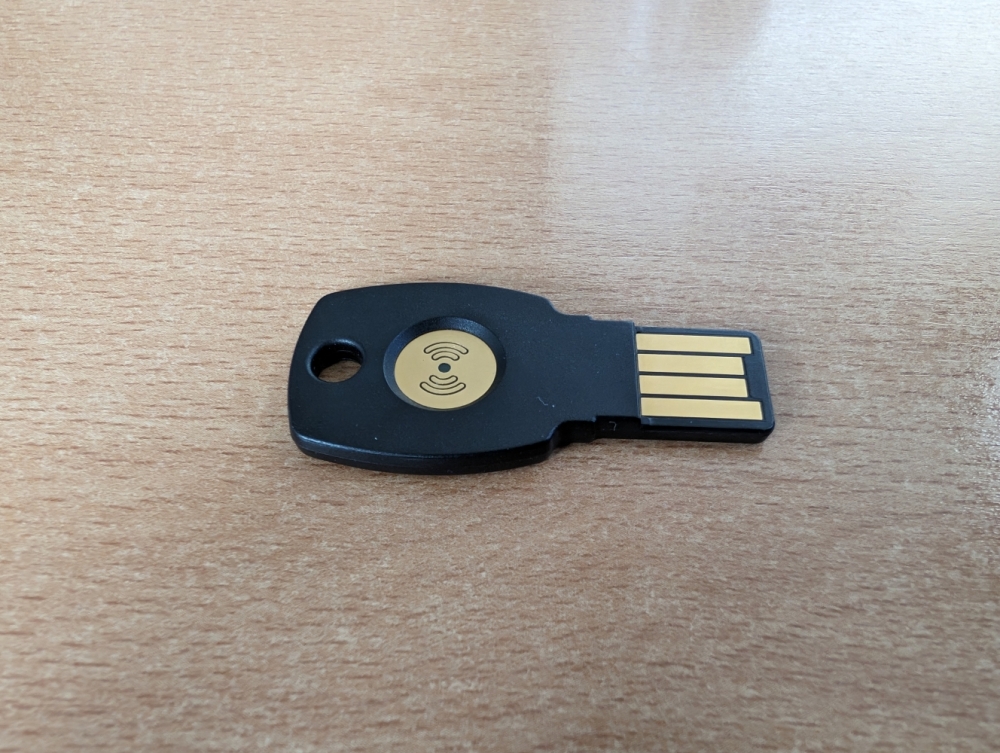
YubiKey 5 Series
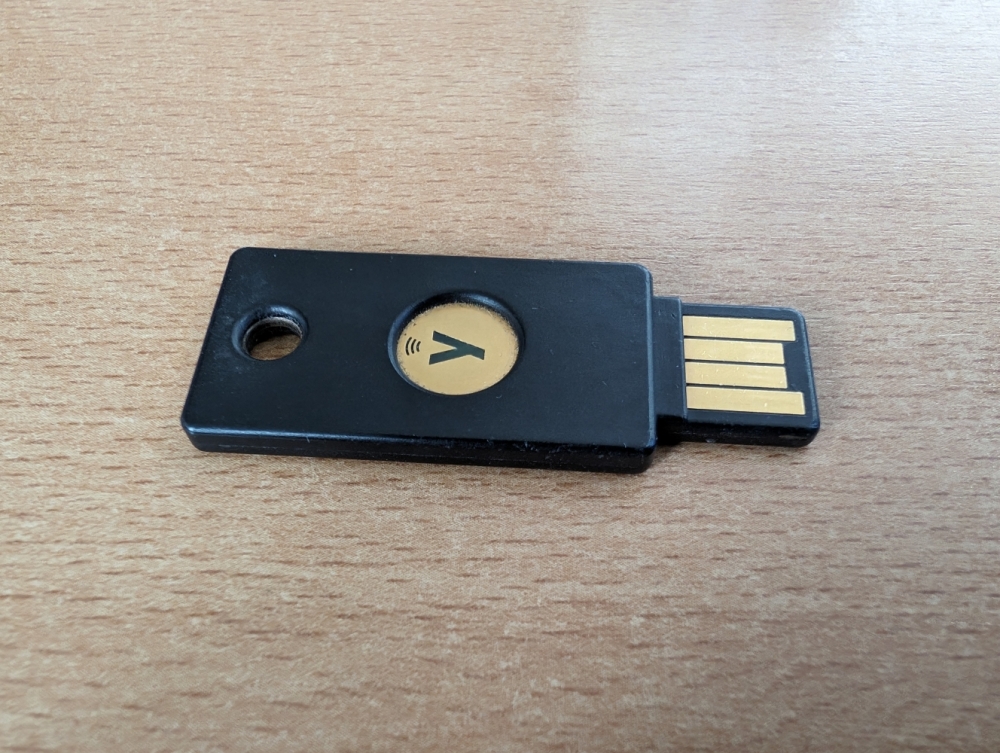
Now we come to one of the best-known security keys, YubiKey. There are various keys from Yubico, pure FIDO2 keys or keys that support various other protocols [yubi]. bwIDM also supports “Yubico OTP” in addition to TOTP [yubio].
Prices start at 50€ upwards for these security keys [yubi5], for which you get the “YubiKey Manager” for Windows, Mac and Linux (GUI) and a command line tool [yubim]. And you get the “Yubico Authenticator” to manage and display your TOTPs for Android, iOS, Linux, Mac and Windows (GUI) [yubia].
In addition to TOTP, bwIDM also supports “Yubico OTP” [yubio]. You can use “Yubico OTP” on some of the bwHPC clusters as a second factor. You do not need a display, you just need to touch the YubiKey to pass the code to the command line. The YubiKey is preconfigured for “Yubico OTP”. For more information see [yubib].
We have tested the Yubico software for Linux in recent years and have also used the TOTP app for Android. This has always run very reliably and covers all possible scenarios. We have also tested some other ways to use these keys, e.g. to secure Linux logins or password safes like KeePassXC. Some of them we have already described on the NEMO Github page [fido2s], for the rest of the possibilities just visit the Yubico developer page [yubid].
Other Possibilities for TOTP
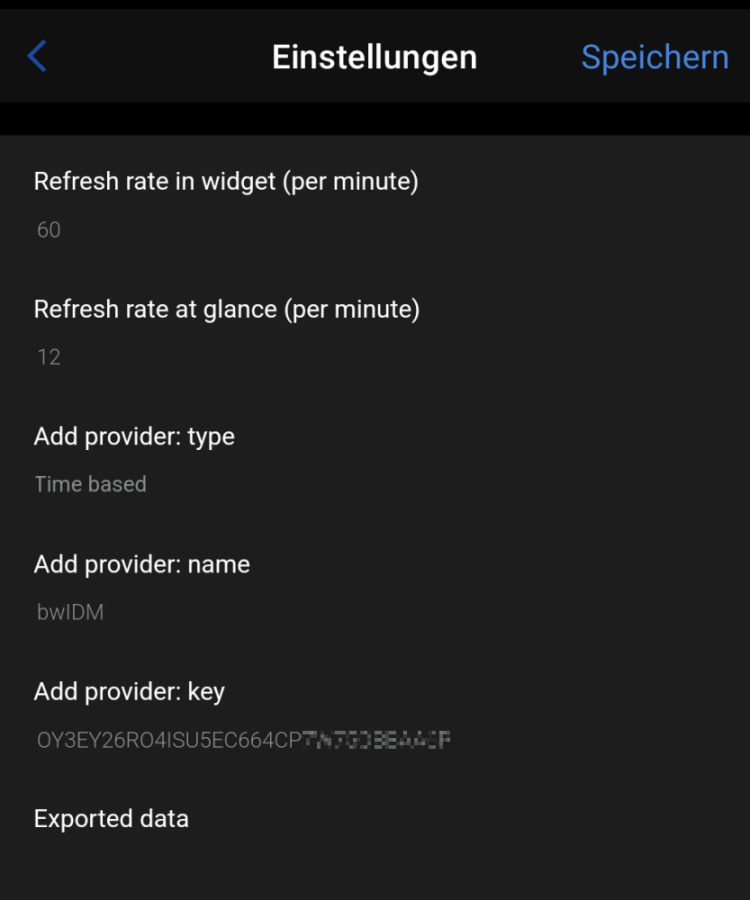
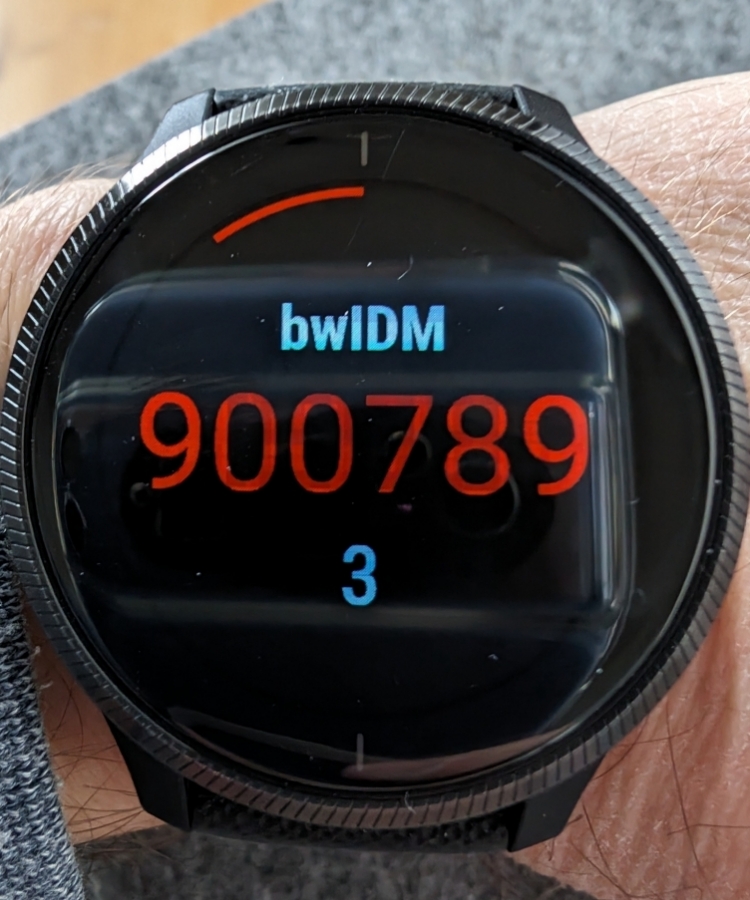
There are many other options for TOTP than cell phones. As an example, we tested a smartwatch. We used a Garmin watch, but there are various other gadgets and watches that can do this. In the following, we show an example for the app (widget) “OTP Authenticator” [otpg]:
First, the hex seed that is displayed under the QR code on login.bwidm.de must be converted into a Base32 seed (see example for Token2). Then all you have to do is configure the app, choose a name for the entry and insert the seed. TOTP codes are then generated every 30 seconds and you have another option for using TOTP.
Conclusion
You need a second factor for bwIDM and bwHPC and this will also be necessary in the future. Most security keys today support FIDO2/WebAuthn, which you can use outside the bwHPC cluster for logins with WebAuthn, Passkeys and FIDO2-secured SSH keys. There are a large number of manufacturers and providers of security keys. You can choose the key you want yourself. We have looked at the advantages and disadvantages of some of these keys.
Today you can use TOTP or Yubico OTP to log in to the clusters. We do not yet support pure FIDO2 keys. So if you want to use your token for bwIDM/bwHPC, you should choose a token that supports TOTP or Yubico OTP. However, this may come in the future.
If you want a solution that provides software for all operating systems and want flexibility when it comes to securing other things like your computer, we recommend purchasing a “YubiKey Series 5” if the budget allows.
With these security keys, you can use any device, a cell phone, a work computer or a laptop at home as a device to generate a second factor. You do not need a second device as you generate the OTP on the stick and can therefore use it on the computer you use to login. When using Yubico OTP, you do not even need any software to use the second factor, so you can use it from any workstation. We always recommend configuring the keys so that presence must be confirmed by touching the key.
We also always recommend using backups for any service that is secured by a second factor. In bwIDM, you can use a second security key, a cell phone and the “backup TAN list” as backups (backup TANs are virtually mandatory). However, if you also want to use your security key for other services that do not offer backups, we recommend that you buy and register two security keys (e.g. YubiKey 5 NFC and YubiKey 5 Nano).
References
- [a4b] https://www.ftsafe.com/Products/FIDO/Single_Button_FIDO
- [bw2fa] https://wiki.bwhpc.de/e/Registration/2FA#How_2FA_works_on_the_bwHPC_Clusters
- [c200] https://www.ftsafe.com/Products/OTP/Single_Button_OTP
- [c200a] https://fido.ftsafe.com/feitian-authenticator-tool-for-android-os/
- [c200am] https://de.microcosm.com/start/otp/programmable-oath-tokens-replace-authenticator-apps
- [c200i] https://fido.ftsafe.com/feitian-authenticator-tool-for-ios/
- [c200r] https://shop.ftsafe.us/products/r502
- [c200w] https://ftsafe.us/knowledge-base/programming-nfc-otp-tokens-and-cards-on-windows-os/
- [c200wm] https://de.microcosm.com/start/otp/programming-oath-otp-windows
- [ctap2] https://fidoalliance.org/specs/fido-v2.2-rd-20230321/fido-client-to-authenticator-protocol-v2.2-rd-20230321.html
- [fair] https://fair.io/
- [fido2c] https://www.token2.com/site/page/managing-t2f2-fido2-keys-under-macos-or-linux
- [fido2s] https://github.com/nemo-cluster/yubikey
- [fido2y] https://developers.yubico.com/SSH/Securing_SSH_with_FIDO2.html
- [fido2w] https://www.token2.com/site/page/managing-fido2-keys-using-windows-control-panel
- [fk9] https://www.ftsafe.com/products/FIDO/NFC
- [fk9a] https://fido.ftsafe.com/feitian-authenticator-tool-for-android-os/
- [fk9i] https://fido.ftsafe.com/feitian-authenticator-tool-for-ios/
- [fk9m] https://fido.ftsafe.com/feitian-sk-manager-tool-user-manual/
- [fk9s] https://fido.ftsafe.com/2-factor-authentication-related/
- [fk9w] https://fido.ftsafe.com/feitian-authenticator-tool-usage-for-windows-os/
- [otpg] https://apps.garmin.com/apps/c601e351-9fa8-4303-aead-441251559064
- [t2f2] https://www.token2.com/shop/product/token2-t2f2-nfc-slim-fido2-u2f-and-totp-security-key
- [t2f2a] https://www.token2.com/site/page/t2f2-totp-authenticator
- [t2f2c] https://www.token2.com/site/page/token2-t2f2-companion-app-for-windows-v0-3
- [t2f2mc] https://www.token2.com/site/page/fido2-token-management-tool-fido2-manage-exe
- [t2f2mg] https://www.token2.com/site/page/fido2-1-security-key-management-tool-gui-for-fido2-manage-exe
- [t2f2p] https://www.token2.com/site/page/token2-t2f2-otp-cli-tool
- [t2f2s] https://www.token2.com/shop/product/token2-t2f2-pin-fido2-u2f-and-totp-security-key-with-pin-complexity-feature
- [t2f2t] https://www.token2.com/site/page/tools-for-fido-security-keys
- [t2f2v] https://www.token2.com/site/page/totp-viewer-a-gui-wrapper-for-t2f2-otp-cli-python-script
- [yubi] https://www.yubico.com/
- [yubi5] https://www.yubico.com/setup/yubikey-5-series/
- [yubia] https://www.yubico.com/products/yubico-authenticator/
- [yubib] https://wiki.bwhpc.de/e/Registration/2FA#Registering_a_new_YubiKey_OTP_Token
- [yubid] https://developers.yubico.com/
- [yubim] https://www.yubico.com/support/download/yubikey-manager/
- [yubio] https://developers.yubico.com/OTP/OTPs_Explained.html